
Download Microsoft OneDrive – Free Cloud Storage, Secure File Sync, and Seamless Collaboration
Overview
Microsoft OneDrive is the cloud‑based storage component of the Windows Live suite, offering users a reliable, secure place to keep documents, photos, and media files. Historically known as SkyDrive, OneDrive now provides 5 GB of free storage for new accounts and up to 25 GB for legacy users who registered before the policy change. The service integrates tightly with Windows 10/11, Microsoft 365, and the broader ecosystem of Office web apps, making it a natural choice for anyone who lives in the Microsoft environment.
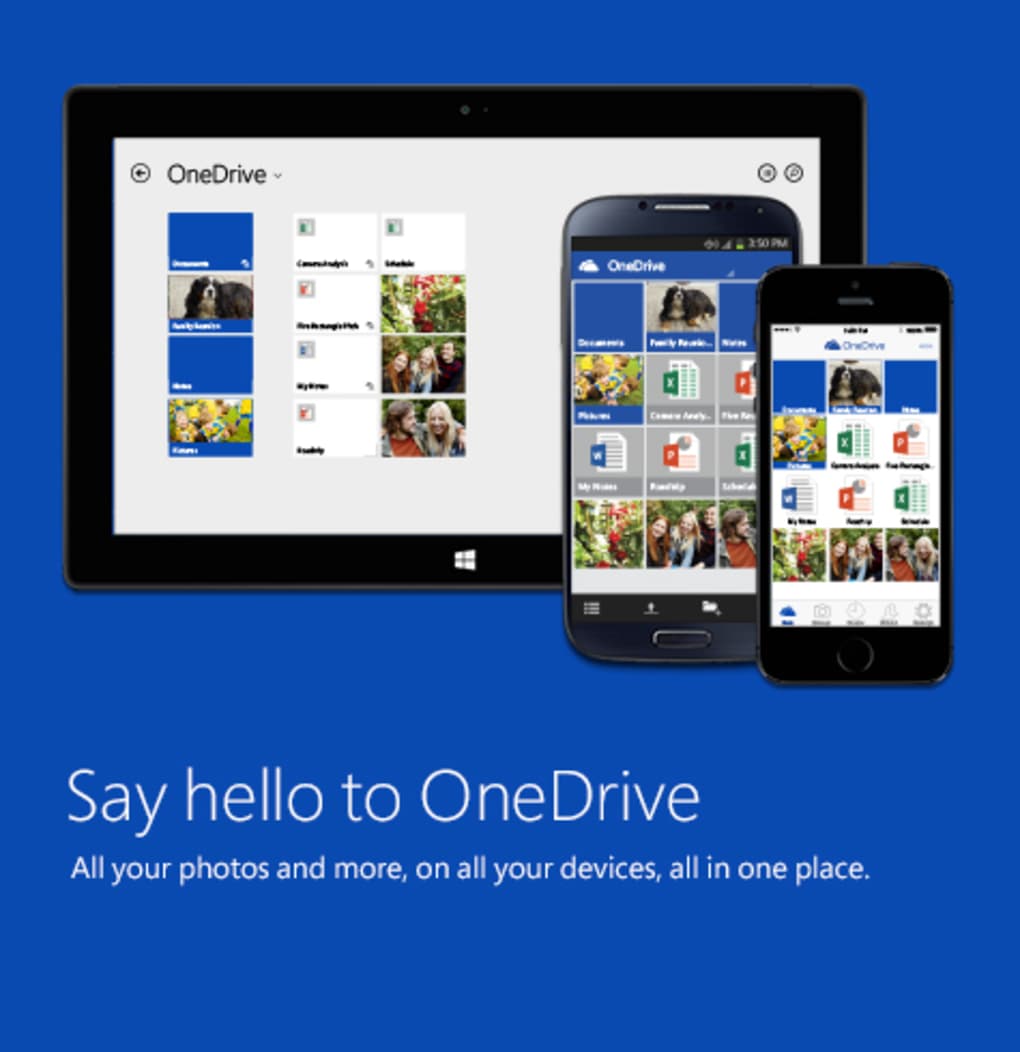
OneDrive’s strength lies in its deep‑level synchronization: files saved on a PC are automatically uploaded to the cloud, available on any device—whether you’re on a Windows laptop, a macOS desktop, an Android phone, or an iOS tablet. The platform also supports sharing links, granular permission controls, and real‑time co‑authoring with Office Online. While the interface can feel fragmented—especially when navigating from OneDrive to Office‑related folders—the underlying technology is fast, encrypted, and constantly updated by Microsoft’s security team.
For users who need a generous amount of free storage, OneDrive remains one of the most attractive options, provided they can tolerate occasional navigation quirks.
Key Features & Benefits
- Generous Free Tier: Up to 5 GB for new users, with legacy accounts retaining 25 GB of free space.
- Cross‑Platform Sync: Native apps for Windows, macOS, Android, and iOS keep your files up‑to‑date everywhere.
- Office Integration: Directly open, edit, and save Word, Excel, and PowerPoint files from OneDrive.
- Secure File Transfer: TLS 1.2 encryption in transit and at‑rest AES‑256 encryption protect your data.
- Selective Sync: Choose which folders to keep locally, saving hard‑drive space on laptops.
- Sharing Controls: Generate view‑only or edit links, set expiration dates, and password‑protect shares.
- Version History: Restore previous file versions for up to 30 days (or longer with Microsoft 365).
- Automatic Photo Backup: Mobile apps can auto‑upload photos and videos when connected to Wi‑Fi.
- Real‑Time Collaboration: Multiple users can edit Office documents simultaneously, with changes saved instantly.
- Continuous Updates: Microsoft pushes regular security patches and feature improvements without user intervention.
These capabilities make OneDrive more than just a storage “app.” It’s a full‑featured collaboration tool that blends file hosting with productivity features. For businesses, OneDrive for Business adds advanced admin controls, compliance certifications, and larger storage quotas. For individuals, the free tier already covers most everyday needs, from backing up school projects to sharing vacation photos with friends and family. Because the service is built into Windows and tightly linked to Microsoft 365, you often get a seamless experience that feels native to the operating system rather than a third‑party add‑on.
Installation, Usage & Compatibility
Downloading and Installing OneDrive
To download Microsoft OneDrive, visit the official download page on Microsoft.com or locate the pre‑installed client on Windows 10/11. For macOS, Android, and iOS, search “OneDrive” in the App Store or Google Play Store. The installer is lightweight (≈ 30 MB) and runs silently in the background after you accept the license agreement. Once installed, you’ll be prompted to sign in with a Microsoft account—this can be an existing Outlook.com, Hotmail, or Xbox Live ID. After signing in, the OneDrive folder appears in your file explorer (Windows) or Finder (macOS), ready to sync.
Setting Up Sync Preferences
During the first launch, a quick wizard helps you select which folders to sync. You can enable Selective Sync to keep only the most used directories on your local disk, while the rest remain cloud‑only. This is particularly useful for laptops with limited SSD space. Advanced users can right‑click the OneDrive tray icon and choose “Settings” → “Account” → “Choose folders” to modify sync choices at any time. The client also offers bandwidth throttling, allowing you to limit upload and download speeds during peak internet usage.
Using OneDrive Across Devices
Once your files are uploaded, they’re instantly accessible from any device with the OneDrive app installed. On mobile, the app provides a “Camera Upload” feature that automatically backs up photos when you connect to Wi‑Fi. On the web, you can log in at onedrive.live.com to view, share, or edit files without installing any software. The web interface supports Office Online, so you can create new Word documents or PowerPoint presentations directly in the browser, with changes saved back to the cloud in real time.
Operating System Compatibility
OneDrive is officially supported on:
- Windows 10, Windows 11, and Windows 8.1 (64‑bit and 32‑bit)
- macOS 10.14 (Mojave) and later
- Android 5.0 (Lollipop) and later
- iOS 12.0 and later (iPhone, iPad, iPod touch)
While the Windows client offers the deepest integration—such as Files On‑Demand and automatic backup of the Desktop folder—macOS users benefit from a Finder extension that mimics the Windows experience. Android and iOS apps focus on mobile productivity, providing quick file access, offline pins, and easy sharing via native share sheets. All versions receive regular security updates, ensuring that your data remains protected across platforms.
Pros, Cons, Frequently Asked Questions & Review
Pros
- Generous free storage tier compared with many competitors.
- Native integration with Windows and Microsoft 365 enhances productivity.
- Strong security with encryption at rest and in transit.
- Cross‑platform apps keep files synchronized on Windows, macOS, Android, and iOS.
- Real‑time collaboration on Office documents without additional software.
Cons
- Navigation can be confusing when moving between OneDrive and Office folders.
- File size limit of 100 GB for individual uploads may restrict large video projects.
- Limited customization of the web UI compared with services like Dropbox.
- Free tier reduced to 5 GB for new users, making legacy 25 GB accounts a rare perk.
- Selective sync settings are not as intuitive on macOS as on Windows.
Frequently Asked Questions
How much free storage does OneDrive offer for new accounts?
New Microsoft accounts receive 5 GB of free cloud storage. Users who signed up before the policy change retain their original 25 GB allocation.
Can I use OneDrive on a Mac?
Yes. Microsoft provides a dedicated OneDrive client for macOS that integrates with Finder and supports selective sync, version history, and automatic photo backup.
Is my data encrypted when stored in OneDrive?
All files are encrypted in transit using TLS 1.2 and at rest with AES‑256 encryption. Microsoft also complies with major standards such as ISO 27001 and GDPR.
How do I share a folder securely?
When you create a sharing link, you can set the permission to “view only” or “edit,” add a password, and define an expiration date. Recipients need the link (and password, if set) to access the folder.
What happens if I exceed my storage quota?
OneDrive will pause syncing and alert you via the desktop client and web dashboard. You can either purchase additional storage through Microsoft 365 or free up space by deleting or moving files.
Professional Review
Rating: ★★★★☆ (4 out of 5)
Summary: Microsoft OneDrive delivers a robust, secure, and well‑integrated cloud storage solution, especially for users entrenched in the Windows and Microsoft 365 ecosystems. While its UI can be a bit fragmented and the free tier has been reduced for newcomers, the generous legacy storage, seamless Office integration, and cross‑platform availability make it a compelling choice for both personal and business environments.
Pros: Generous storage, deep Office integration, strong security, cross‑device sync.
Cons: Navigation quirks, limited free space for new users, occasional UI inconsistency.
Conclusion & Call to Action
In a crowded market of cloud storage providers, Microsoft OneDrive stands out for its tight coupling with Windows and Microsoft 365, generous free storage for legacy users, and a feature set that caters to both casual file backup and professional collaboration. If you spend most of your digital life in the Microsoft ecosystem, OneDrive is the logical, secure, and cost‑effective choice. The occasional navigation hiccups are outweighed by the convenience of having your documents, photos, and Office files available anywhere you go—whether on a Windows PC, a Mac laptop, or a mobile device.
Ready to experience seamless cloud sync? Download Microsoft OneDrive now and start backing up your files for free. Upgrade to Microsoft 365 later for expanded storage, advanced security, and premium support if your needs grow.



.png)



